Pay · Payroll
Payroll you can review, explain and close with confidence
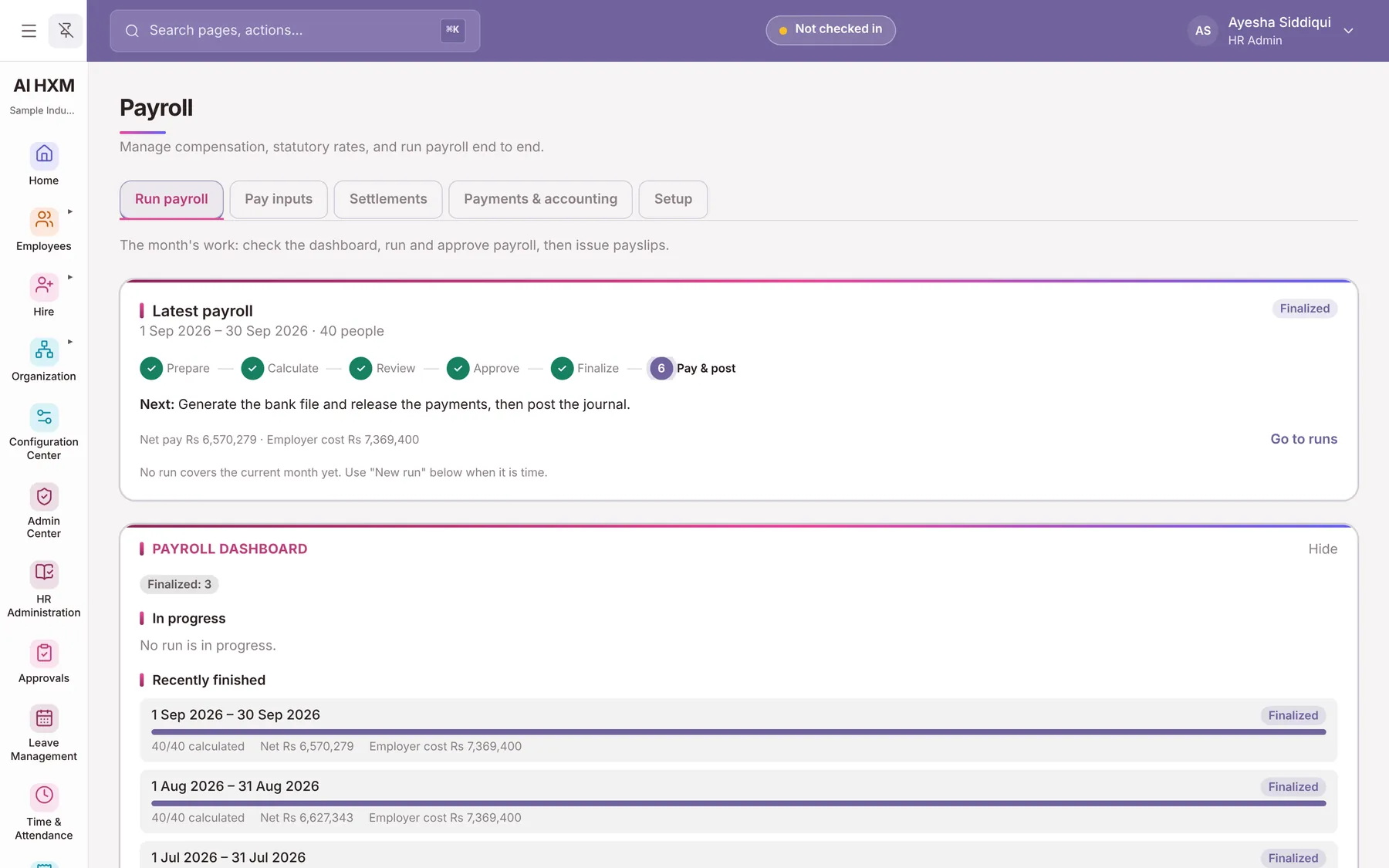
Prepare, calculate, review, approve, finalise and pay. Variance checks flag surprises before money moves, every payslip carries its calculation, and corrections never overwrite history.
The problem
What this solves
Month-end panic
Payroll depends on one person and a maze of sheets.
Tax surprises
A change mid-year breaks cumulative tax and nobody can explain why.
Payment mismatches
What was calculated and what the bank paid do not match.
Capabilities
What Payroll includes
What the module covers, grouped by the job it does.
The monthly run
- Monthly Payroll Runs
- Payroll Preparation
- Payroll Review
- Payroll Finalization
- Payroll Simulation
Pay structure and tax
- Salary Components
- Payroll Formulas
- Income Tax Calculation
- Pakistan Tax Slabs
- Tax Profiles
- Tax Exemptions
- EOBI
- Provincial Social Security
Adjustments
- Employee Loans
- Salary Advances
- Arrears
- Retroactive Payroll
- Final Settlement
Documents, payment and reporting
- Payslips
- Tax Certificates
- Annual Salary Statements
- Payment Batches
- Bank Reconciliation
- Accounting Journal Export
- Payroll Reports
How it works
The six-step run
- 1PrepareCreate the run and check inputs.
- 2CalculatePay, tax, EOBI and deductions are computed.
- 3ReviewVariance checks flag unusual changes.
- 4ApproveThe workflow records who approved.
- 5FinalisePayslips are fixed and published.
- 6Pay and postPayment batch and accounting journal.
In practice
Practical use cases
Mid-year joiners and leavers
Proration and final settlement are handled in the same run engine.
Back-dated salary changes
Retroactive payroll recalculates earlier months and shows the arrears.
Finance hand-off
An accounting journal CSV with your GL mapping closes the loop with the books.
Business benefits
Why it matters
Explainable numbers
Each payslip stores its calculation trace.
Controlled changes
A finalised run is corrected by reversal, not by editing.
Fewer payment errors
Batches are reconciled against what was actually paid.
Configuration
Set it up your way
- Enter your own tax slabs, EOBI and social security rates
- Define salary components and formulas
- Design the payslip
- Choose who approves and who can see pay
FAQs
Payroll questions
How does payroll processing work?
Six steps from preparation to payment, with variance checks before approval and a stored calculation on every payslip.
Does AiHxM support Pakistan income tax?
Yes. It calculates salary tax by tax year using the slabs your company enters, with a cumulative method from July to June.
Can we get payslips and tax certificates?
Yes. Payslips, year-end tax certificates, salary certificates and an annual salary statement are available.
See Payroll set up for your business
Book a personalised demo and we will walk through it with your own scenarios.